Top 3 freeware softwares that help you to view all the drivers installed on your computer and allows you to backup, restore, all drivers according to your choice.
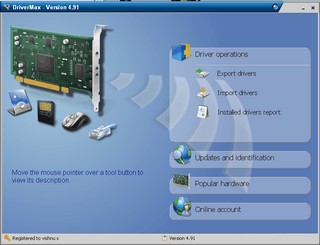
DriverMax is a freeware utility that allows you backup and restore the drivers installed on your Windows computer more over a it has a option to download and check for latest driver updates for your computer hardwares.All you need to use DriverMax is a free account that DriverMax will ask you to create and mail you the activation code
DOWNLOAD : DriverMax
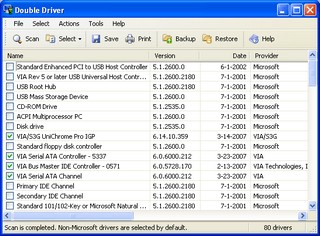
Double Driver is simple free software that allows you to analyzes your system and lists the most important driver details such as version, date, provider, etc and offers the latest version updates. All drivers that are found can easily be backed up the application and easily restored at a later point in one go.
DOWNLOAD : Double Driver
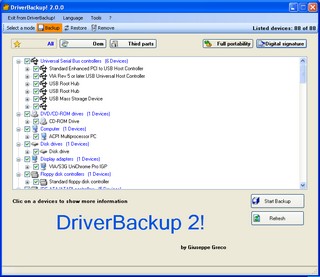
Driverbackup 2 is another free software created by Giuseppe Greco to backup and restore installed drives on windows Os .It requires Microsoft .NET Framework 2.0.Driverbackup 2 is available in three languages English , Spanish , Italiano and lack the option to check for updated version of Drivers . However Driverbackup 2 is quite simple to use .
DOWNLOAD : Driverbackup 2
Keep working ,great job!